How I Automated an AI Tools Directory: Keeping Hundreds of Listings Fresh With AI Workflows (BranEarly Case Study)
Discuss a similar project
Project snapshot
Project: BranEarly, an AI tools listing and discovery website
My role: Product owner, developer and automation designer
Service: AI & Workflow Automation
Stack: n8n (orchestration), Supabase (Postgres database), OpenAI and Gemini (AI enrichment)
Core challenge: keeping a fast-moving directory accurate, consistent and fresh without a full-time editorial team
Key takeaways
A directory competes on trust. Accuracy and freshness matter more than the raw number of listings.
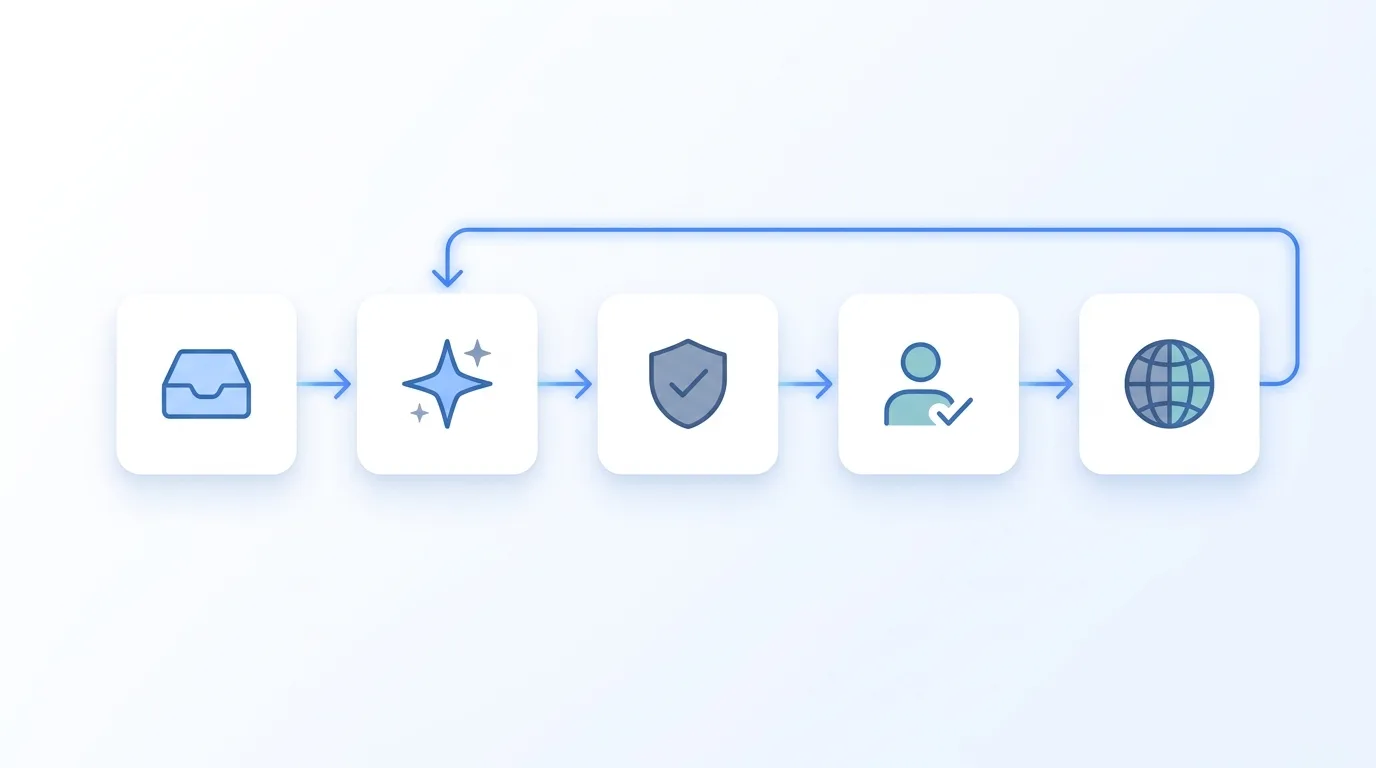
I split the work into five n8n workflows (intake, enrichment, validation, review, freshness) so each one can fail, retry and be improved on its own.
Two AI models review every tool independently. Disagreement is treated as a signal, not an error.
AI writes the first draft. A human still approves what goes live.
Every tool moves through a clear status lifecycle in Supabase, so nothing is ever “half published”.
Background: what BranEarly is
BranEarly is a directory where people discover AI tools: writing assistants, image generators, coding helpers, marketing and automation tools and more. The audience is mixed. Some visitors are founders comparing options, some are students looking for free tools and some are professionals who just want to know which tool fits one specific job.
All of them want the same thing from a directory: a short, correct answer to “what is this tool, what does it cost and is it right for me?” If the directory cannot provide that reliably, there is no reason for it to exist.
The problem
1. The market changes faster than people can edit
New AI tools launch every day. Others rename, pivot, change pricing, go from free to paid or quietly shut down. A page that was correct last month can be wrong today. In most directories, nobody notices until a visitor clicks a dead link.
2. One listing is a small research project
Adding a single tool properly is not just “paste the link”. It means opening the product, understanding what it actually does, writing an original description, choosing the right category, listing use cases, working out the pricing model, noting honest pros and cons and testing that the URL works. Multiply that by dozens of tools and the editor becomes the bottleneck.
3. Speed and quality pull in opposite directions
The easy shortcuts both hurt. Copying the vendor’s marketing text produces duplicate, promotional pages. Letting AI write and publish with no checks produces confident mistakes: invented features, wrong pricing, wrong categories. A directory full of either becomes something nobody trusts.
4. Data decay is invisible
The most dangerous problem is the one nobody sees. Once a listing is published, it silently ages. Without monitoring, the directory slowly fills with outdated entries while still looking healthy from the outside.
What was really at stake
If listings arrive slowly, the site looks empty. If they are wrong, it looks careless. If they go stale, it looks abandoned. Any of the three sends visitors back to search results, and they rarely return. The goal was never “more tools”. It was a directory that stays correct on its own.
Goals and constraints
Accuracy: no tool goes live with unverified or contradictory data
Consistency: every listing has the same structure, tone and fields
Speed: a new tool should reach review quickly, with a ready draft
Freshness: published listings are re-checked automatically on a schedule
Control: a human makes the final publish decision
Low cost and low maintenance: small stack, no heavy infrastructure, easy to debug
The solution: a five-workflow pipeline
Instead of one giant automation, I built the system as a pipeline of small, single-purpose workflows. Each reads from and writes to the same Supabase database, so the database is the single source of truth and each workflow can be tested, paused or rebuilt without touching the others.
Not every problem needs an AI agent. For a task like this, where the steps are known and repeatable, structured workflows with AI inside specific steps are more reliable. I explain the difference in AI Agent vs Workflow Automation: What Does Your Business Actually Need?

Who does what
n8n: orchestrates every workflow: triggers, branching, retries, scheduling and API calls
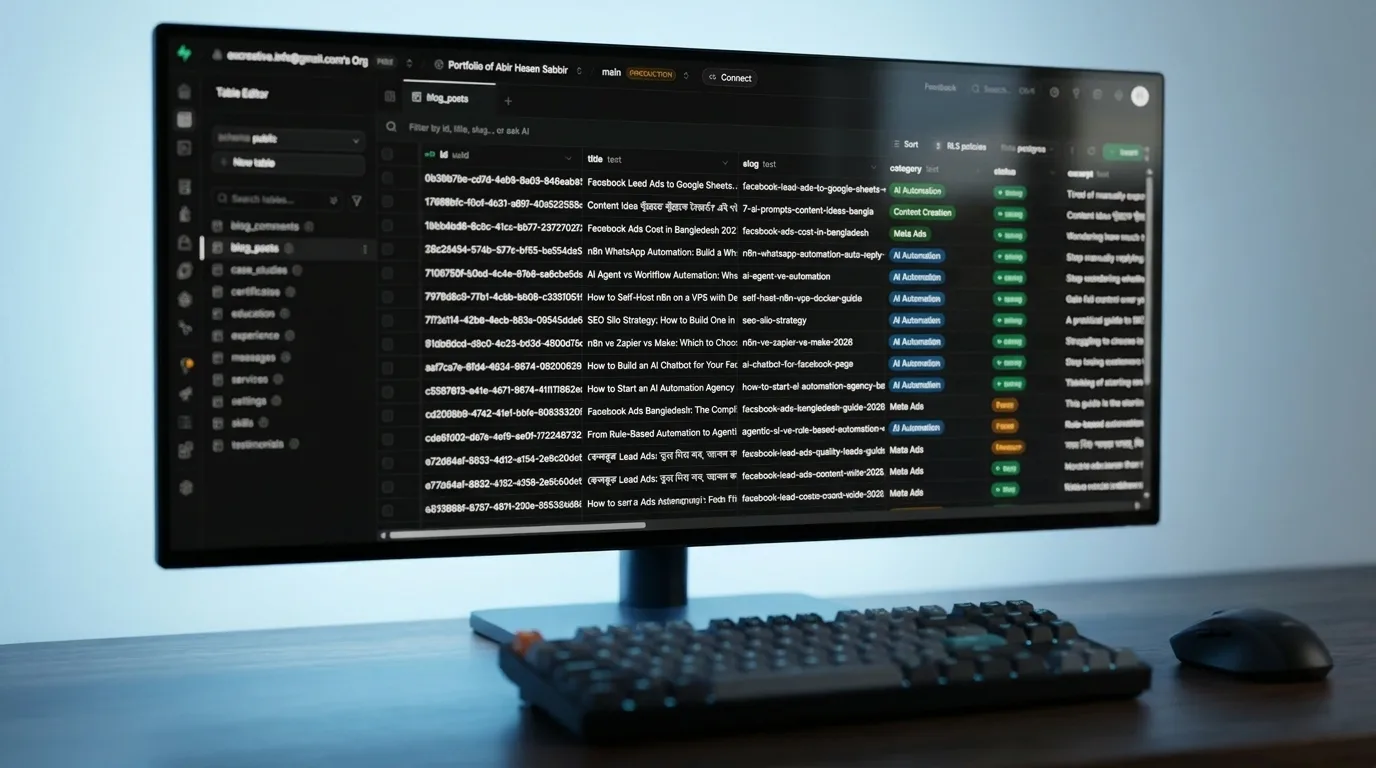
Supabase: stores tools, statuses and logs in Postgres; powers the site and the review panel
OpenAI: drafts structured listing data from the product information
Gemini: produces an independent second draft used to cross-check the first
The data model: a status lifecycle
The most important design decision was giving every tool a status, so the pipeline always knows what has happened and what should happen next:
pending: collected, nothing processed yet
enriched: AI drafts exist
validated: automated checks passed
needs_review: checks failed or the models disagreed, so a person must look
published: approved and visible on the site
flagged: a published listing failed a freshness check
archived: the tool is gone or was rejected
Each tool row stores the fields visitors see (name, URL, short and long description, category, use cases, pricing type, pros and cons) plus the pipeline data visitors never see: both AI drafts, validation results, timestamps and the last check date. A separate log table records every workflow run, so any wrong listing can be traced back to the step that caused it.
The workflows in detail
Workflow 1: Intake
This workflow collects new tools and writes them to Supabase as pending. Before inserting anything it normalises the URL (removing tracking parameters, trailing slashes and “www”) and compares the domain against existing rows. Duplicates are stopped here, which is far cheaper than catching them later.
Workflow 2: AI enrichment
For every pending tool, n8n sends the product information to both OpenAI and Gemini with the same instructions. The prompts are strict:
The model must return structured JSON in a fixed schema, never free text.
It may only use information supplied to it. If something is unknown it must return
nullinstead of guessing.Pricing is restricted to a fixed set of values (free, freemium, paid, contact for pricing) so filters stay clean.
Descriptions must be original, neutral in tone and free of marketing superlatives.
Temperature is kept low to reduce creative drift.
The two responses are stored side by side. The row moves to enriched. If you want to see how n8n and Gemini work together in a simpler build, I walk through it in my n8n Telegram Bot tutorial with Gemini.

Workflow 3: Validation and model consensus
Nothing reaches a person until it passes a set of automated rules:
URL responds successfully: never list a dead tool
Domain not already listed: prevents duplicates
All required fields present and valid JSON: prevents broken pages
Category and pricing type are from the allowed lists: keeps filters and navigation clean
OpenAI and Gemini agree on category and pricing type: disagreement means uncertainty
Description length and tone within limits: keeps listings consistent
If everything passes, the tool becomes validated and the better-scoring draft is selected. If any check fails, or the models disagree, the tool goes to needs_review with the exact reason attached. The disagreement rule turned out to be the most useful filter in the system: two independent models contradicting each other is a strong sign that a human should take a closer look.
Workflow 4: Human review and publishing
Validated and flagged tools appear in a review queue built on top of Supabase. For each one I see the draft, the source link, the validation result and, where relevant, both model outputs side by side. I approve, edit or reject in one action. Approval moves the tool to published and stamps the check date.
Keeping this step was deliberate. The automation removes the research and writing, but the decision to put something in front of visitors stays with a person.

Workflow 5: Freshness monitor
On a schedule, this workflow walks through published listings and re-checks them: does the URL still resolve, did it redirect somewhere unexpected, did the page content change enough to suggest a pricing or product update? Anything suspicious is set to flagged and returns to the review queue. Tools that are clearly gone are archived. This is what stops the directory from silently ageing.
Reliability and cost control
Retries with back-off: API errors and rate limits do not break the run; the step retries and then records the failure.
Idempotent steps: re-running a workflow on the same tool never creates duplicates, because every step checks the status first.
Batching: tools are processed in small batches to stay inside API limits.
Run logging: every execution writes to a log table, so errors are visible instead of hidden.
Cost awareness: AI is called only once per stage per tool, and the cheap checks (duplicate and URL) run before any paid API call.
Challenges and how I solved them
AI inventing features: strict “use only supplied information, otherwise null” rule plus structured JSON output.
Same tool submitted under different URLs: URL normalisation and domain-level duplicate checking at intake.
Ambiguous pricing: a fixed list of pricing values with a “contact for pricing” option instead of forced guesses.
Inconsistent tone across listings: shared writing rules in the prompt and length limits in validation.
Hard-to-debug automations: small single-purpose workflows, status lifecycle and run logs.
Trusting one model too much: second model as an independent cross-check, with disagreement routed to a human.
The outcome
Adding a tool changed from a long research-and-writing task to a short review of a ready, structured draft.
Every listing follows one consistent structure, which makes browsing, filtering and comparing reliable.
Duplicates, dead links and incomplete entries are caught automatically before visitors can see them.
Published listings are monitored continuously instead of being forgotten after launch.
The system runs on a small stack that is inexpensive to operate and easy to extend with new workflows.

What I learned
Automate the repetitive work, not the judgement. AI drafts, a person approves.
Validation matters more than the AI step. Simple rules prevent most bad data.
Model disagreement is useful information. Use it to decide where human attention is worth spending.
Status fields make automation debuggable. If you can always see where a record is, you can always fix it.
Freshness is a feature. A directory is only as good as its oldest listing.
Small workflows beat big ones. Each piece can fail and recover independently.
What comes next
Price-change and shutdown alerts for listed tools
AI-assisted comparison pages built from the same structured data and optimised for search with a proper SEO strategy
A public submission flow feeding straight into the intake workflow
Frequently asked questions
Can AI fully automate an AI tools directory?
It can automate collection, drafting, checking and monitoring. I keep a human approval step because a directory depends on trust, and a short review prevents the mistakes AI makes with pricing and features.
Why use two AI models instead of one?
Independent outputs can be compared. When OpenAI and Gemini disagree about a tool’s category or pricing, that tool is routed to a person instead of being published with a possible error.
Why n8n and Supabase?
n8n makes multi-step workflows visual, easy to debug and quick to change. Supabase gives a real Postgres database with an API, which serves both the website and the review panel.
How are old listings kept up to date?
A scheduled freshness workflow re-checks published tools and flags anything that looks changed or broken so it returns to review.
Can this approach work for other directories?
Yes. Any listing-based site (jobs, tools, suppliers, courses, products) with repetitive collect, describe, check and update work can use the same pattern. If you are a freelancer or marketer who wants to build systems like this for clients, start with How to Start an AI Automation Agency in Bangladesh.
Need a workflow like this?
If your team repeats the same collect, write, check and publish routine by hand, a large part of it can be automated without losing quality control. Explore my AI & Workflow Automation service, browse more case studies or contact me and I will map out where AI fits, where it should not and what it would take to build.