Meta Ads Junk Messages: How I Fixed Irrelevant Messenger Leads by Changing Placements, Not Targeting
Discuss a similar project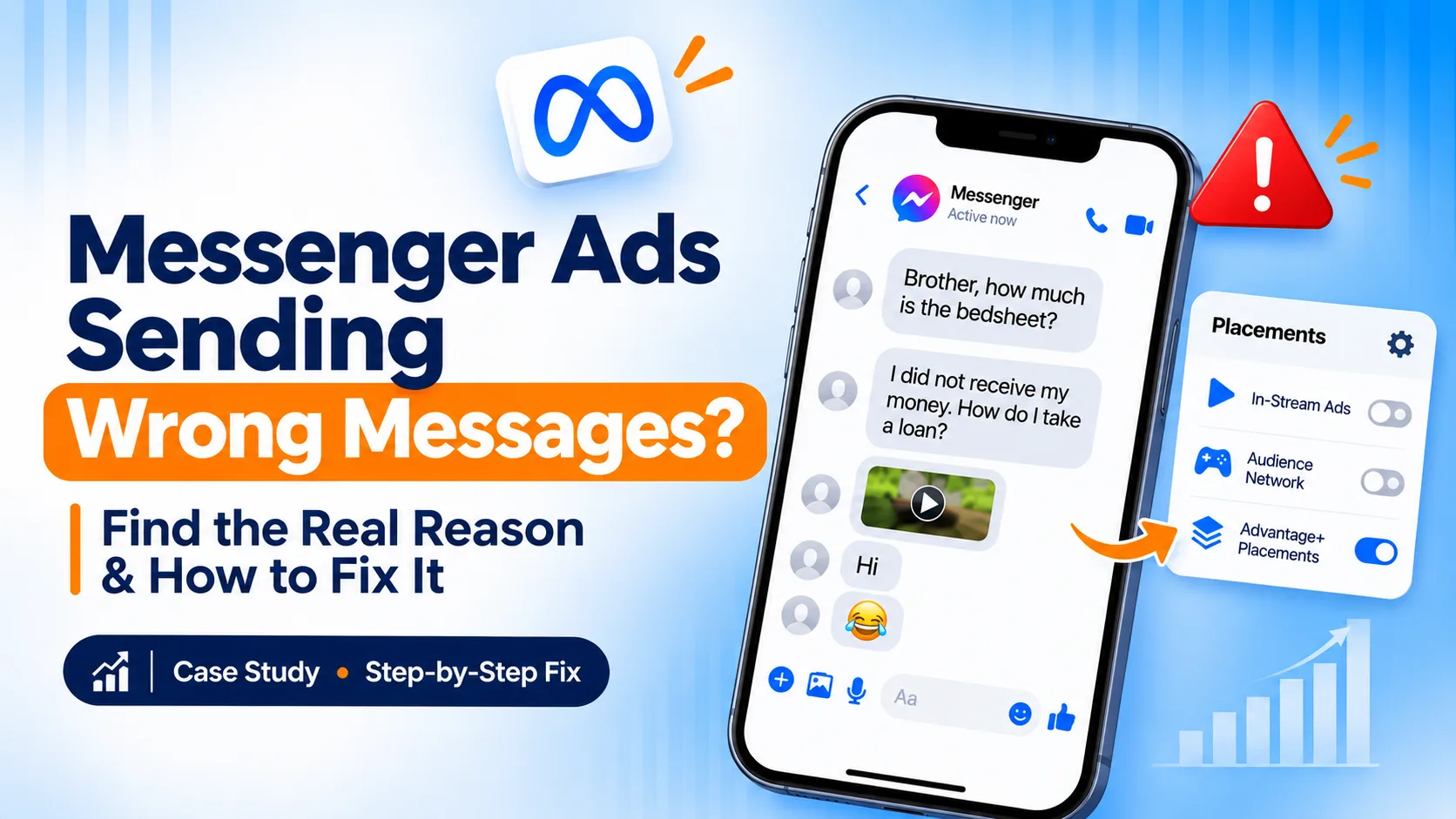
On the night of 9 November, my Messenger inbox stopped making sense.
The campaign was a tour package for Naria Holidays. For eight days it had delivered exactly what a travel ad should: people asking about itineraries, prices, travel dates, and visa support. Then, overnight, the messages changed.
“Brother, how much is the bedsheet?”
“I did not receive my money. How do I take a loan?”
Random videos, stickers, and one-word messages with no intent at all
I had not touched the campaign. Same budget, same offer, same creatives. Only the audience seemed to have become “wrong.”
This is the story of how I found out why, and why the answer was not where the dashboard, the office, or Meta’s own suggestions pointed.
The Setup
Detail | Value |
|---|---|
Business | Naria Holidays (tour packages) |
Campaign objective | Messenger conversations |
Launch date | 1 November |
Normal period | 1 to 8 November: relevant, package-related inquiries |
Problem started | Night of 9 November |
Symptom | Irrelevant, confusing, and junk messages |
Why This Is More Dangerous Than It Looks
Junk messages are not just annoying. They quietly damage a campaign in three ways:
They pollute your data. Every irrelevant conversation counts as a “result,” which makes cost per message look healthy while real lead quality collapses.
They waste sales time. Someone has to read, reply to, and sort every message.
They mislead optimization. If the system learns from low-intent conversations, it can keep finding more people like them.
When this started, the pressure inside the office was real. Everyone had a theory, and every theory pointed at the ad. I decided that theories were not enough. I needed evidence.
Step 1: Checking the Obvious Suspects
Since the Andromeda update, Meta’s guidance has leaned toward broad targeting and creative-led delivery. So I started where most advertisers would, and I checked everything properly.
What I checked | What I found | Action |
|---|---|---|
Targeting setup | Correct, and in line with Meta’s suggestions | None needed |
Demographics (age, gender, location) | Correct | None needed |
Creatives | Fine, but I wanted to rule it out | Added 3 to 4 new creatives |
Audience | Fine, but I wanted to rule it out | Rebuilt from scratch |
Nothing changed. The junk kept coming.
That result was actually the most useful data point of the entire investigation. When targeting, demographics, and creative are all clean, you can stop optimizing them and start looking somewhere else. Most advertisers keep tweaking the same three levers. I chose to widen the search.
Step 2: Talking to the People Behind the Messages
Dashboards tell you what is happening. They almost never tell you why. Only the person who clicked can tell you that.
So I did something most media buyers skip. I took responsibility for the problem personally and contacted one of the people who had sent an irrelevant message. I asked a simple question: “What were you doing right before you messaged us?”
His answer opened the case.
Root Cause 1: In-Stream Ads
He was watching a full-screen video on a monetized page. The video was about selling bedsheets. My ad was being delivered inside that video.
Because the video was full screen, the Send Message button sat directly on top of content he was already engaged with. He was not reacting to my tour package. He was reacting to the video, and the button was right there.
So he sent a message about bedsheets.
Fix: I turned off the in-stream ads placement.
Root Cause 2: Audience Network
The bedsheet messages disappeared, but a new kind of junk took their place: “I did not receive my money, how do I take a loan?” along with odd videos.
I repeated the process and talked to another user. He had been playing a mobile game, and my ad appeared inside that app. A reward prompt, an accidental tap, or simple confusion was enough to open a Messenger conversation with a travel brand he had no interest in.
Fix: I turned off Audience Network.
Root Cause 3: Advantage+ Placements
Both leaks pointed to the same underlying issue. When placements are selected automatically, delivery follows the cheapest available results, and the cheapest results are often the ones where accidental clicks are easiest.
For many campaigns, automatic placement works well. For a high-consideration product like a tour package, where one real conversation is worth far more than ten accidental ones, I wanted control over where my ad could appear.
Fix: I switched to manual placements and kept only the surfaces where people browse with intent.
The Result
After the three changes:
All irrelevant, confusing, and junk messages stopped.
Every message that came in afterwards was qualified.
People were asking about the package, pricing, travel dates, and visa requirements, the exact conversations the campaign was built to create.
The budget, the offer, and the creatives were identical. The only thing that changed was where the ad was allowed to appear, and that alone changed the quality of every conversation.
Why Placement Problems Happen in Messenger Campaigns
Messenger campaigns have a vulnerability that website campaigns do not. A click-to-message button is a very low-friction action. There is no landing page to read and no form to fill in. One tap opens a conversation.
That makes accidental and misdirected taps far more costly than in other objectives. In inventory where your ad sits inside someone else’s full-screen content, such as in-stream video or in-app placements, the button is easy to hit and the context is completely unrelated to your offer.
The result is a message that counts as a result in your reporting but has no buying intent behind it.
My 10-Minute Placement Diagnostic
Run this on any campaign that gets messages but few real customers.
Open Ads Manager and set the breakdown to By Placement. Look at the results for each placement separately.
Read the actual conversations from each source. Do not judge by cost alone. Judge by what people actually wrote.
Look for placements with cheap results and poor conversations. Low cost per message combined with irrelevant messages is the signature of accidental clicks.
Talk to two or three low-quality senders. Ask what they were doing when they clicked. Two short conversations can save days of guessing.
Remove the suspicious placements and retest for a few days. Compare conversation quality, not just cost.
When This Fix Does Not Apply
I want to be honest about the limits of this approach.
Lower-ticket products with a high-volume strategy may do well on automatic placements, because the cost of an occasional junk lead is small.
Audience Network and in-stream are not always bad. In some accounts they perform well. The point is not to switch them off by default. The point is to check them with evidence.
Small budgets may not generate enough data per placement for a clear breakdown. In that case, talking to users matters even more.
The lesson is not “always use manual placements.” The lesson is to verify where your results come from.
Key Lessons
1. A cheap result is not a good result.
Cost per message can look excellent while lead quality collapses. A message only has value if the person meant to send it.
2. Automation deserves supervision.
Automatic placements are powerful, but they optimize toward low-cost results. For premium services, control over delivery is part of protecting lead quality.
3. The problem is rarely where everyone is looking.
Targeting, audience, and creative are the first things people blame. This time, the delivery layer was the issue. When the obvious fixes fail, widen the search.
4. Check the placement breakdown early.
It is a quick report that can expose a problem like this within minutes. It is now a standard check on every campaign I run.
5. Talk to real users.
Two short conversations with two real people did what days of dashboard analysis could not.
Frequently Asked Questions
Why am I getting irrelevant messages from my Messenger ads?
The most common cause is accidental or misdirected clicks from placements such as in-stream video or in-app inventory, where your call-to-action button sits inside someone else’s content.
Should I turn off Audience Network for Messenger campaigns?
For high-intent offers such as travel, education, or real estate, it is worth testing. Check the placement breakdown and read the actual conversations before deciding.
Are Advantage+ placements bad?
Not necessarily. They can perform very well for many campaigns. But when lead intent matters more than volume, manual placements give you more control.
How do I find which placement is sending junk leads?
In Ads Manager, add the breakdown by placement, then compare the results with the real quality of the conversations from each one.
Can targeting changes fix junk messages?
Only if targeting is the actual cause. In this case study, targeting, demographics, and creatives were all correct, and changing them made no difference.
Struggling With Low-Quality Leads?
If your Meta Ads are bringing in messages but not customers, the problem may not be your targeting. It may be where your ads are actually showing.
Explore more of my work at abirhasansabbir.digital
Abir Hasan Sabbir | Digital Marketing Executive and Content Strategist